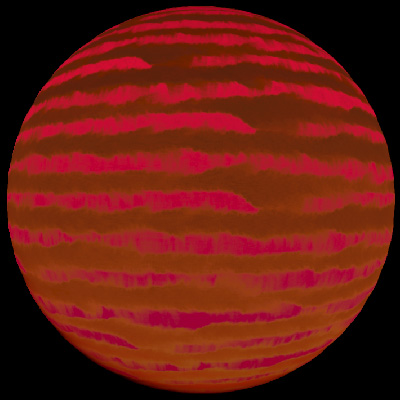
> For the complete documentation index, see [llms.txt](https://cw-systems.gitbook.io/gas-giant-forge/llms.txt). Markdown versions of documentation pages are available by appending `.md` to page URLs; this page is available as [Markdown](https://cw-systems.gitbook.io/gas-giant-forge/readme.md).
# Welcome
If you're viewing the offline pdf documentation, view the latest online documentation [**HERE**](https://cw-systems.gitbook.io/gas-giant-forge).
The Ultimate Gas Giant Rendering System
This asset is designed to work in Unity 2021 LTS, Unity 2022 LTS, Unity 2023, and Unity 6, with the Built-In Render Pipeline, URP, and HDRP.
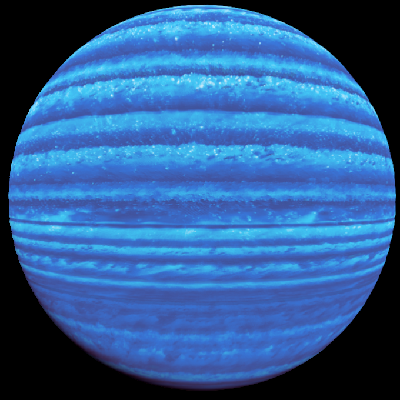
This asset includes a volumetric atmosphere and cloud system, and a fluid simulation system.\
All example scenes are in the **"Plugins/CW/Gas Giant Forge/Scenes"** folder. These show you what fully configured gas giants look like.
Fly From Space
Through The Rings
Through The Gas Giant
Realtime Fluid Simulation
## Required Packages
{% hint style="danger" %}
Your project must have the **Burst** and **Mathematics** and **Collections** packages installed.
{% endhint %}
Package Installation Guide
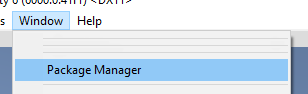
### Open: Window / Package Manager
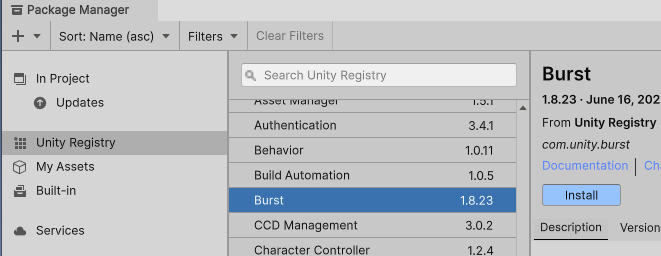
### Install Package: Burst
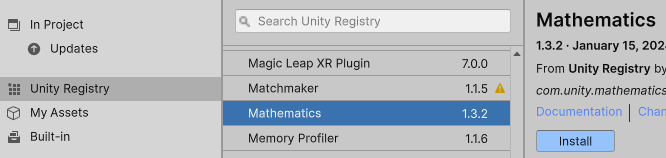
### Install Package: Mathematics
### Install Package: Collections
## **Done!**
{% hint style="warning" %}
If you see this error:
{% endhint %}
This means you're using an outdated version of the **Collections** package.
In Unity 2021 (and possibly other versions), the Package Manager states that **Collections 1.2.4** is the latest version you can install, but this is incorrect. To update to the latest version and fix this error, you must manually open the **YourProjectFolder/Packages/manifest.json** file. Inside this file, you will see one line that looks like this:
```
"com.unity.collections": "1.2.4",
```
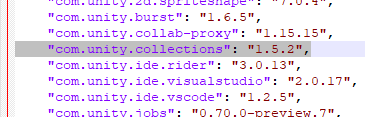
You must change it to version 1.5.2, like this:
```
"com.unity.collections": "1.5.2",
```
In the end the manifest will look like this:
You can now save this manifest.json file, and return to Unity. Unity should then automatically update Collections to the latest version.
## Making Your Own Gas Giant
There are two types of gas giants in Gas Giant Forge:
1. **Full Fluid Sim** - The whole gas giant surface is one big fluid simulation.
2. **Slices** - The gas giant is made from thin bands/slices of static textures and small fluid simulations.
{% hint style="info" %}
Both gas giant types are fundamentally the same. The **Full Fluid Sim** gas giant just has one large fluid sim band/slice, whereas **Slices** comes pre-configured with many bands/slices. Both can be fully customized.
{% endhint %}
{% tabs %}
{% tab title="Full Fluid Sim" %}
Example of a Full Fluid Sim gas giant.
To make your own gas giant from scratch, you can either:
* Right click in the **Hierarchy** tab, and select **"CW / Gas Giant Forge / Gas Giant (Full Fluid Sim) (Radius = 500)"**.
* Go to the menu bar, and select **"GameObject / CW / Gas Giant Forge / Gas Giant (Full Fluid Sim) (Radius = 500)"**.
This will create a new GameObject called **"Gas Giant"** with 2 child GameObjects:
* The **"Sky"** GameObject has the **SgtSky** component, which handles rendering of the core atmosphere of the gas giant. More info [**HERE**](/gas-giant-forge/components/sgtsky.md).
* The **"Sky"** GameObject has the **SgtShadowSphere** component, which casts shadows from the gas giant onto the rings. More info [**HERE**](/gas-giant-forge/components/sgtshadowsphere.md).
* The **"Cloud"** GameObject has the **SgtCloud** component, which handles rendering of the high altitude clouds that swirl around. More info [**HERE**](/gas-giant-forge/components/sgtcloud.md).
* The **"Cloud"** GameObject has the **SgtCloudBundle** component, which is a texture atlas that stores all gas giant bands/slices. More info [**HERE**](/gas-giant-forge/components/sgtcloudbundle.md).
* The **"Cloud"** GameObject has the **SgtGasGiantFluid** component, which runs a fluid simulation that is rendered on the gas giant. More info [**HERE**](/gas-giant-forge/components/sgtgasgiantfluid.md).
* The "**Rings**" GameObject has the **SgtRingSystem** component, which renders volumetric rings around the gas giant. More info [**HERE**](/gas-giant-forge/components/sgtringsystem.md).
* The **"Ring"** GameObject has the **SgtRingParticles** component, which renders small asteroid particles inside the volumetric rings. More info [**HERE**](/gas-giant-forge/components/sgtringparticles.md).
* The **"Ring"** GameObject has the **SgtShadowRing** component, which casts shadows from the rings onto the planet. More info [**HERE**](/gas-giant-forge/components/sgtshadowring.md).
The gas giant surface is updated using a fluid simulation. To modify its settings, select the **"Cloud"** GameObject, and change the **SgtGasGiantFluid** component's settings. To quickly see results from your changes, you can click the **"Step Simulation x1000"** setting.
{% hint style="info" %}
The simulation settings are very sensitive, so I recommend changing them by small amounts like 10%.
{% endhint %}
{% endtab %}
{% tab title="Slices" %}
Example of a Slices gas giant.
To make your own gas giant from scratch, you can either:
* Right click in the **Hierarchy** tab, and select **"CW / Gas Giant Forge / Gas Giant (Slices) (Radius = 500)"**.
* Go to the menu bar, and select **"GameObject / CW / Gas Giant Forge / Gas Giant (Slices) (Radius = 500)"**.
This will create a new GameObject called "Gas Giant" with 2 child GameObjects:
* The **"Sky"** GameObject has the **SgtSky** component, which handles rendering of the core atmosphere of the gas giant. More info [**HERE**](/gas-giant-forge/components/sgtsky.md).
* The **"Sky"** GameObject has the **SgtShadowSphere** component, which casts shadows from the gas giant onto the rings. More info [**HERE**](/gas-giant-forge/components/sgtshadowsphere.md).
* The **"Cloud"** GameObject has the **SgtCloud** component, which handles rendering of the high altitude clouds that swirl around. More info [**HERE**](/gas-giant-forge/components/sgtcloud.md).
* The "**Rings**" GameObject has the **SgtRingSystem** component, which renders volumetric rings around the gas giant. More info [**HERE**](/gas-giant-forge/components/sgtringsystem.md).
* The **"Ring"** GameObject has the **SgtRingParticles** component, which renders small particles inside the volumetric rings. More info [**HERE**](/gas-giant-forge/components/sgtringparticles.md).
* The **"Ring"** GameObject has the **SgtShadowRing** component, which casts shadows from the rings onto the planet. More info [**HERE**](/gas-giant-forge/components/sgtshadowring.md).
The gas giant surface is made of many separate texture bands. To modify or add more bands, select the **"Cloud"** GameObject, and change the **SgtCloud** component's **CoverageBands** setting. Each band uses a texture from the **CoverageBundle** setting, which by default contains many different textures.
{% endtab %}
{% endtabs %}
By default, the gas giant has a radius of 100 meters, and the clouds extend 10 meters above the surface. To adjust this, select the **"Sky"** GameObject, and change the **SgtSky** component's **InnerMeshRadius** and **Height** settings.
{% hint style="info" %}
If you're not sure what **Height** value should be used, a good starting point is to make this 10% of your **InnerMeshRadius** setting.
{% endhint %}
To change the color of the gas giant, find the **"Cloud"** GameObject and change the **SgtCloud** component's **Color** and **Color2** settings. You can also click the **"Randomize Color Hue"** button to quickly modify them.
The core of the gas giant below the clouds is colored by the **"Sky"** GameObject's **SgtSky** component, which cam be controlled with settings like **RayleighColor**.
{% hint style="info" %}
You can hover the mouse over any inspector setting, and it will tell you what it does.
{% endhint %}
## Required Scene Components
{% hint style="warning" %}
Your main scene light must have the **SgtLight** component to calculate lighting on the atmosphere and clouds. When you create a new planet, this will automatically be added.
{% endhint %}
{% hint style="warning" %}
Your scene must have the **SgtVolumeManager** component to render the gas giants. When you create a new gas giant, this will automatically be added.
{% endhint %}
{% hint style="warning" %}
Your main camera must have the **SgtVolumeCamera** component to render the gas giants. When you create a new gas giant, this will automatically be added.
{% endhint %}
.png?alt=media&token=f518f422-795b-46db-bc25-0ff3ae89dc4f)
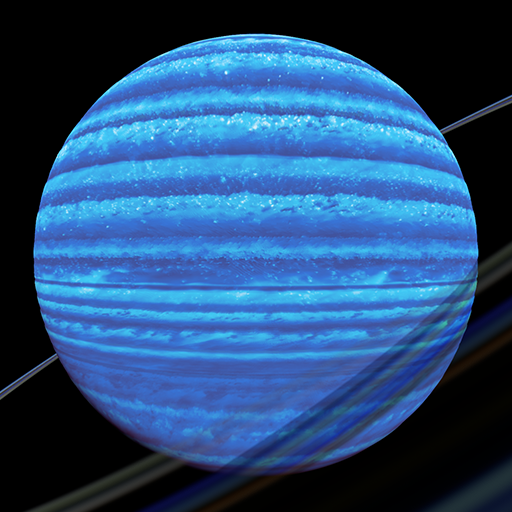
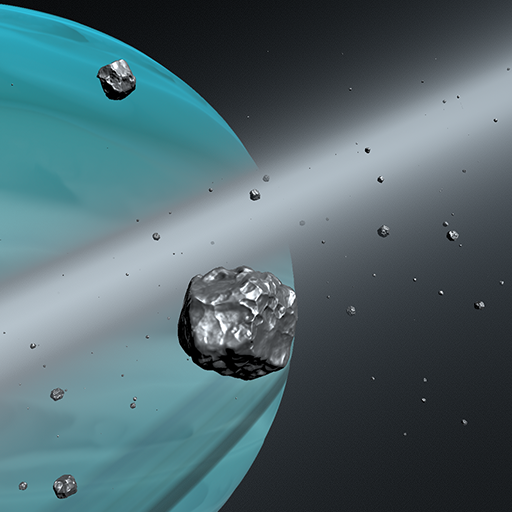
.png?alt=media&token=23cea740-28cf-4f9c-b15a-e718244c833a)
.png?alt=media&token=d939ffa9-c6e9-4911-b159-1fd0781a7a82)